
NFC vs QR Code vs Direct Link: What’s Best for Vacation Rental Guests?
Hosts ask this as if one method has to win. It doesn’t. A link, a QR code and an NFC tap are three ways into the same Guest Portal, and each is strongest at a different moment of the stay — remote, on arrival, and every time a question comes up afterwards.
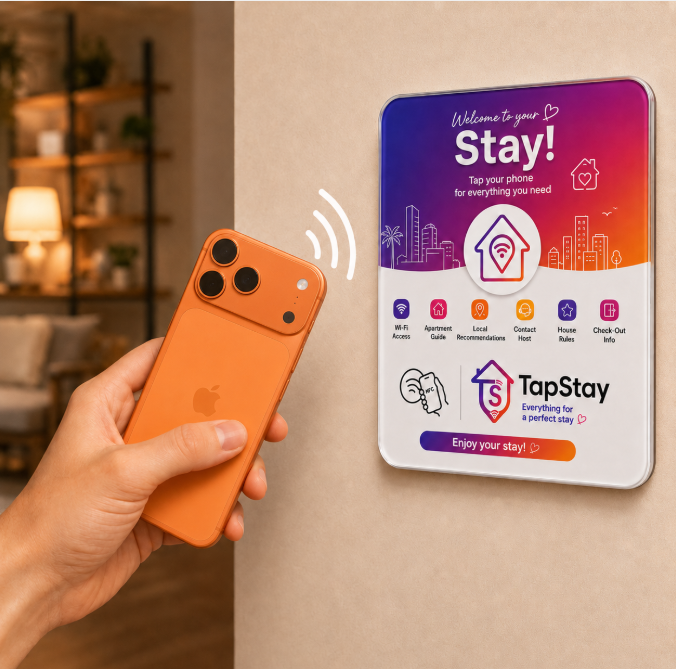
Optional NFC plaque — the portal also works by QR code and direct link.
Is NFC, a QR code or a direct link best for a vacation rental guest portal?
A direct link is best before arrival, because it is the only method you can send remotely. A QR code is the broadly accessible visual method inside the property and the natural fallback, since scanning is commonly built into modern phone cameras. NFC is the most seamless physical interaction on phones that support it and have it enabled — the guest holds the phone near the plaque instead of framing a code. The strongest setup is not a winner but a combination: all three pointing at the same portal. In TapStay, link, QR and NFC are access methods; the Guest Portal itself is the destination.
- Direct linkSent in a message
- QR codeScanned in the property
- NFC tapTapped on the plaque
Three entry points converge on the same page — no app, no guest account.
Same destination. Different moments.
Direct link
The remote access method. A URL you can paste anywhere you already talk to guests.
- Best moment
- Before arrival and remote communication
- Guest action
- Tap the link in a message
Strengths
- Works remotely — no physical surface needed
- Easy to resend at any point in the stay
- Fits naturally in Airbnb, WhatsApp or email
Limitations
- Guests must scroll back to find the message again later
QR code
The universal visual method. A printed code that anyone can recognise and scan.
- Best moment
- Inside the property, printed surfaces, fallback
- Guest action
- Open the camera and scan
Strengths
- Visually recognisable as an access cue
- Easy to print on a plaque, card or card holder
- Broad smartphone support without an app
Limitations
- The guest has to see the code and frame it
- Damaged, very small or poorly placed codes get harder to scan
NFC
The lowest-friction physical method on supported phones — a tap instead of a scan.
- Best moment
- Inside the property, at the physical point of need
- Guest action
- Bring a supported phone near the plaque
Strengths
- Fewer deliberate steps than framing a code
- Physical discovery — the surface is the prompt
- No camera framing or lighting conditions involved
Limitations
- Depends on an NFC-capable device with NFC enabled
- Not every guest or device interaction behaves identically
NFC vs QR code vs direct link, row by row.
Most rows are not a yes or a no. Each method has a moment it fits and a moment it does not, so the labels describe behaviour rather than score a winner.
| Factor | Direct Link | QR Code | NFC |
|---|---|---|---|
| Best moment | Before arrival and remote messaging | Inside the property, printed surfaces | Inside the property, at the point of need |
| Works before arrival | Yes — this is its strength | Only if you send an image of it | No — needs the physical tag |
| Works inside the property | Yes, if the guest still has the message | Yes — printed and visible | Yes, on supported phones |
| Requires physical placement | No | Yes, to be useful in the property | Yes — a tag or plaque |
| Requires camera | No | Yes — camera or QR scanner | No |
| Requires NFC support | No | No | Yes — capable device with NFC enabled |
| Easy to resend remotely | Yes — paste into any message | Possible as an image, less natural | Not applicable |
| Easy to print or display | Only as a written URL | Yes — designed for print | Yes, as a plaque or tag |
| Physical discovery in the property | No — lives in a message thread | Yes — visually recognisable cue | Yes, when paired with a visible surface |
| Deliberate guest steps | Find the message, tap the link | Open camera, frame the code, tap the prompt | Hold the phone near the plaque |
| Best fallback role | Fallback when the plaque is missed | Primary fallback inside the property | Not a fallback — a convenience layer |
| Good for the check-in message | Yes — the natural fit | Rarely | No |
| Good near entrance, fridge or guest-information area | Only as printed text | Yes | Yes |
| Same destination possible | Yes — the same Guest Portal | Yes — the same Guest Portal | Yes — the same Guest Portal |
| Best overall use | Pre-arrival and remote support | Universal in-property access | Lowest-friction in-property tap |
None of these rows change what the guest sees. All three open the same Guest Portal for the same stay — see digital guidebook vs guest portal for how the content behind it is structured.
One portal. Three ways in.
Follow a single stay and the argument settles itself: each method takes over exactly where the previous one stops being available.
Before arrival
You send the direct link
Paste the Guest Portal link into your Airbnb, WhatsApp or email check-in message. Guests can read arrival and access details on the way, long before they see anything physical.
Direct linkGuest Portal
Arrival & inside the property
The guest finds the plaque
A visible surface inside the property offers both NFC and a printed QR code. A supported phone can tap it; any phone with a camera can scan it.
NFC + QRGuest Portal
During the stay
They reopen it whichever way is easiest
Same portal, same content. Some guests keep the tab open, some scroll back to your message, some tap the plaque again on their way past it.
All threeGuest Portal
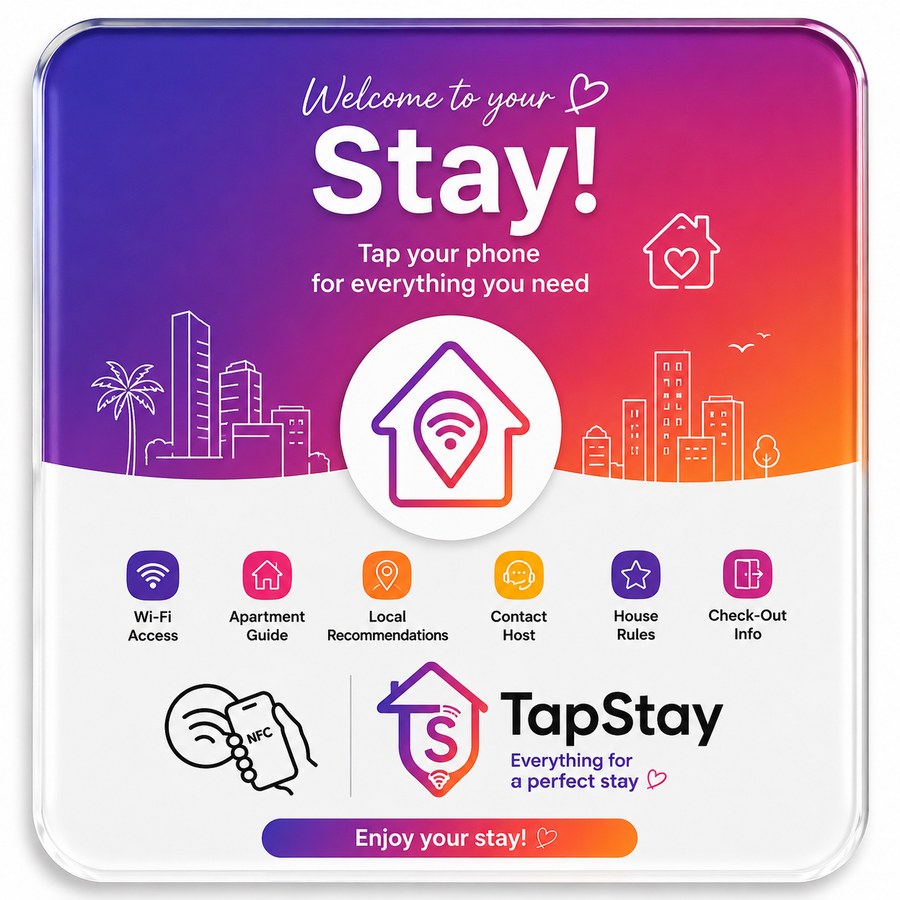
A single visible surface inside the property — the same plaque can carry a printed QR code alongside the NFC tap.
What this actually looks like inside the stay.
- The plaque sits in a visible, guest-facing interior location — near the entrance, in a guest-information area, or wherever guests naturally look first. There is no mandatory spot.
- A guest with a supported phone can tap it. Anyone else scans the printed QR code on the same surface with their camera.
- The direct link you sent before arrival keeps working independently, throughout the stay.
- The plaque is optional. TapStay is fully usable with link and QR alone.
Four situations, four straight answers.
Before guests arrive
Use the direct link.
It is the only method that reaches a guest who is not in the property yet. Put it in the check-in message so arrival instructions are read before the door, not after it.
Inside the property
Use NFC and QR together.
One physical surface, two immediate ways in. The tap serves guests whose phones support it; the printed code serves everyone else without a second thought.
You want maximum compatibility
Keep the QR code visible.
Even when NFC is the primary interaction, a printed QR code should stay visible on the same surface. It removes any dependency on device support or settings.
You are using TapStay
Use all three.
You never have to pick one permanently. The same Guest Portal is reachable by link, by QR code and by the optional NFC plaque — so each method covers the moment it is best at.
Why NFC and QR together beat either one alone.
NFC brings interaction convenience
On phones that support it, tapping removes the deliberate steps of opening a camera and framing a code.
QR brings a visible, familiar cue
A printed code is instantly recognisable as 'scan me', and it does not depend on device support or settings.
One surface, two immediate options
Put both on the same plaque and the guest never has to work out which one their phone supports — they simply use whichever they reach for.
The link covers what neither can
Physical methods only exist once the guest is inside. The direct link is what reaches them the day before, on the road, or after they have left.
This is an argument about coverage, not measured performance: offering more than one way in means no guest is left without one.
NFC, QR codes and links are entry points. The Guest Portal is the destination.
Choosing an access method is not choosing a product. What the guest finds after the tap, the scan or the link is the same thing: the Guest Portal for their stay, built from the digital guidebook you wrote. If the distinction between those two layers is unclear, the guidebook vs portal comparison covers it, and what TapStay is explains where both sit in the product.
NFC, QR and link questions hosts actually ask.
One portal. Three ways in.
Send the link before arrival, then let guests scan the QR code or tap the optional NFC plaque once they are inside. Same portal, same answers, whichever way they come in.
First active property free forever, full feature set, no credit card. Curious how the pieces fit? How TapStay works.