
The Digital Guidebook for Airbnb & vacation rentals
Printed book · PDF · House manual → one living guide
Turn your Airbnb welcome book into a living digital guide guests can open on their phone — with check-in details, Wi-Fi, house rules, appliance instructions, local tips and check-out information that stays easy to update.
No reprinting a binder, no resending a PDF after every change. You edit the guide once, and guests always open the current version.
- No reprinting
- No guest app
- Free during the Early Pilot
Before
After
Living guidebook
Check-in · Wi-Fi · Rules · Check-out
What is a digital guidebook for Airbnb?
A digital guidebook is an editable web-based version of the welcome book or house manual you would otherwise print and leave in the property. One page holds the check-in instructions, Wi-Fi details, house rules, appliance instructions, parking and access notes, local recommendations and check-out steps for a specific stay. For the local section specifically, see the Airbnb local recommendations guide.
Because it lives online rather than on paper or in a downloaded file, the guidebook is corrected in one place. Guests open the same link before arrival and during the stay, and always see the version you last saved. Because the arrival instructions and stay information are available online before the guest arrives, a digital guidebook can also support self check-in for Airbnb and vacation rentals — no in-person handoff needed to hand over the details.
Airbnb guidebook, house manual, welcome book — what’s the difference?
Hosts searching for a guest guide run into three words that sound interchangeable and are not. Two of them come from Airbnb’s own product, one comes from hospitality in general, and the confusion is the reason so many properties end up with the same information written in three different places. Here is how the terms are actually used.
Airbnb terminology
Guidebook
Inside Airbnb's own product, a guidebook is mostly about the area around the property — the cafés, beaches, walks and shops a host wants to point guests towards.
Best for: Neighbourhood suggestions and local recommendations
Airbnb terminology
House manual
The practical, day-to-day operating notes for the property, shared with confirmed guests: how to get in, how the heating works, where the bins go, what the Wi-Fi is.
Contains: Wi-Fi, appliances, heating, where things are, access notes
Hospitality term
Welcome book
Not a platform feature but the phrase hosts have always used for the whole in-property experience — the greeting, the arrival details, the instructions, the tips and the goodbye.
Best for: Welcome note, arrival, instructions, local tips, check-out, help
TapStay
Digital guidebook
One live mobile guide that carries the practical house-manual information and the hospitality layer together, and belongs to the property rather than to a single booking channel.
Contains: Everything above, in one link you can edit at any time
The short version: a guidebook points outward at the area, a house manual points inward at the property, and a welcome book is the hospitality wrapper around both. A TapStay digital guidebook keeps them in one place, so guests are not sent between a platform page, a message thread and a printed folder to answer one question.
Because the guide is your own page rather than a channel feature, it works the same for direct bookings and for stays booked anywhere else. TapStay is an independent product and is not affiliated with, endorsed by or connected to Airbnb; the platform is named only to describe how the terminology is commonly used.
Why hosts move the welcome book off paper.
Most guest information problems are not writing problems — they are versioning problems. The words were right when you wrote them; the property changed afterwards.
Printed welcome book
The binder on the kitchen table
A printed welcome book looks considered — until the Wi-Fi password changes, the check-out time moves, or a page goes missing.
- Every correction means reprinting
- Only one copy, only inside the property
- Guests can't read it before they arrive
PDF or message attachment
The file sent days before arrival
A PDF sent in the booking thread is easy to send and easy to lose. By arrival day it is buried under later messages — so the guest writes to you instead.
- Downloaded copies stay out of date forever
- Hard to search on a phone screen
- Resending a corrected file confuses which version is current
Digital guidebook
One live page guests can reopen
A digital guidebook is a web page you edit. Guests open the same link before arrival and during the stay, and always land on the current version.
- Update once — no reprinting, no resending
- Readable on a phone, section by section
- One current version for every guest
What should an Airbnb welcome book include?
Nine sections cover almost every question a guest asks. Open any section to see what belongs inside it — useful whether you write your guest information book in a document, a PDF or in TapStay.
Use the full Airbnb welcome book checklist for examples and what to keep updated in each section.
- Property name and a friendly one-paragraph welcome
- Check-in and check-out times in one glance
- What to do first when guests walk in
What a digital guidebook looks like in practice.
A good guidebook reads in the order a stay happens: welcome, getting in, the practical details, help if something goes wrong, then leaving. Guests scan the section titles and jump straight to the one they need.
The example beside this is a content architecture, not a fixed template — you decide which sections your property needs and what goes in each one.
- 1WelcomeAbout the property · Check-in 15:00 · Check-out 11:00
- 2Getting inBuilding B · 2nd floor · Lockbox by the door
- 3Wi-FiNetwork · Villa-Mar · Password · easy to copy
- 4House rulesQuiet hours 22:00 – 08:00 · No smoking indoors
- 5How things workHeating & air conditioning · Washing machine · Oven · TV
- 6Parking & accessStreet parking on Rua Nova · Lift from the lobby
- 7HelpContact the host · Emergency numbers
- 8Around youHost picks nearby · Groceries & pharmacy
- 9Check-outKeys back in the lockbox · Windows closed, AC off
A TapStay Guidebook is more than a page. It becomes the knowledge behind the stay.
When you fill in a TapStay guidebook you are not formatting a document — you are describing the property once. The Wi-Fi network and password, the check-in and check-out times and instructions, the house rules, parking and access details, appliance guidance, the answers in your FAQ, your contact details, the local places you personally recommend and any custom sections you add all become the single source of truth for that property.
That matters because the same information then powers more than the page a guest scrolls. TapStay Concierge answers from your property-specific knowledge rather than from a generic document or a general-purpose model guess — if you wrote how the air conditioning works, a guest asking about it gets your wording back. If you never wrote it, the Concierge says so and points the guest to you instead of inventing an answer.
Step one
Property knowledge
Everything you saved about this property, written in your own words.
- Wi-FiNetwork & password
- Check-inTimes & access
- House rulesQuiet hours, pets
- AppliancesAC, oven, laundry
- Host picksYour own places
- FAQ & contactAnswers you wrote
Step two
Answered from your guidebook
How does the AC work?
The remote is in the living-room drawer. Press the power button, then set it to 24°C — the bedroom unit uses the same remote.
From this property’s appliance instructions
No generic advice, no guessing — only what the guidebook already says.
Step three
Knowledge gaps
Recurring subjects your guidebook does not cover yet, shown as topics to improve.
- Parking informationAdd an answer
- Appliance guideNeeds clarification
- Late checkout policyAdd an answer
Guest questions turn into a to-do list, not a mystery
Every property has a handful of things the host forgot to write down, and they are rarely the things you would guess. Parking is the classic one. Appliance instructions are another. A late-checkout policy is the third. You only discover them by noticing the same subject coming back stay after stay.
TapStay makes that visible by grouping guest interactions into categories, so a repeated subject surfaces as a knowledge gap with a clear next step: add an answer, or clarify one that is not landing. This works from categorised, sanitised interaction data — surfacing raw guest question text in the host view is not required for it to be useful.
A traditional guidebook gets older. A TapStay Guidebook gets more useful.
Two things make the difference. You update once and every guest opens the current version, so the guide never drifts away from the property. And the gaps that keep coming up tell you exactly what to write next, so each season the guidebook answers a little more than it did before.
Why a digital guidebook beats a printed book or a PDF.
Update without reprinting
A new Wi-Fi password, a changed bin day or a new coffee machine is a two-minute edit — not a trip to the print shop.
One current version
There is no older copy in circulation. Everyone who opens the guidebook sees exactly what you last saved.
On the phone guests already hold
It opens in the browser, so there is nothing to install and nothing to find in a drawer.
Useful before and during the stay
Send it ahead so arrival is calm, and let guests reopen it mid-stay for appliances, rules and check-out.
Consistent structure
The same sections in the same order, so guests know where to look — in one property or across a portfolio.
- Update information without reprintingYesNoPartly / depends
- Only one current version in circulationYesNoNo
- Readable before arrivalYesNoYes
- Easy to find again during the stayYesPartly / dependsNo
- Structured section by section on a phoneYesNoPartly / depends
- Same structure across several propertiesYesPartly / dependsPartly / depends
- No guest app requiredYesYesYes
A dash means partly, or that it depends how the file is shared. Airbnb is referenced descriptively only — TapStay is an independent product with no affiliation or endorsement.
One property: keep a single guide current
Write the welcome, check-in steps, Wi-Fi, house rules, appliance instructions and check-out once. When the router changes or the bin day moves, you edit that line and the guidebook is correct again — no reprint, no new PDF.
Over a season the guide gets better rather than older, because every guest question becomes a small addition to it.
Property managers: one structure across the portfolio
Each property keeps its own details, while the section order stays identical everywhere. Guests find check-in in the same place in every guidebook, and your team knows exactly where new information belongs.
Consistent structure also makes maintenance predictable: an appliance change in one unit is a single edit, not a hunt through documents.
TapStay goes beyond a traditional digital guidebook.
The guidebook is the core. If you want more, TapStay can connect it to the wider product — these are extras on top of the guide, not what makes it a guidebook. Wondering how the two relate? Compare the digital guidebook and the guest portal, or read what to look for in the best digital guidebook for vacation rentals, or see how TapStay lines up against a guidebook built into a PMS in TapStay vs Hostfully. For a neutral map of the whole market, see where digital guidebooks fit in the wider vacation rental software landscape.
The broader TapStay Guest Portal, which adds stay-aware details such as check-out flow and nearby recommendations around the guidebook.
The TapStay AI Concierge, which answers guest questions using only what you wrote in the guidebook.
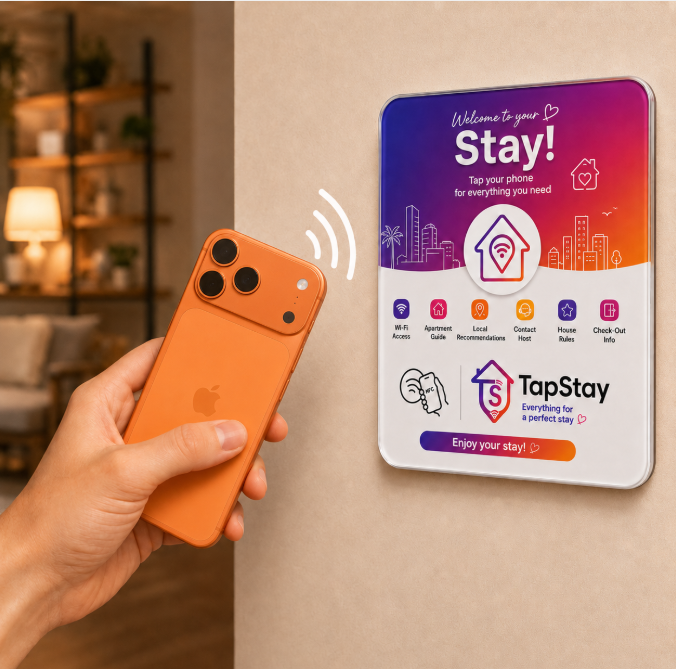
Access by NFC plaque, printed QR code or a shareable link — useful, but the guidebook works with the link alone.
Digital guidebook & welcome book questions.
Turn your welcome book into something guests can actually keep using.
Write your digital guidebook once, share the link, and edit it whenever the property changes — no reprinting, no second version in circulation.
Free during the Early Pilot · No credit card · No guest app
Prefer to see it first? Open the live guest demo and browse a real guidebook the way a guest would.